Build Survive Players and Community Hub
Find friends, respect builds, chase Wins, and play fair in six-player Build Survive servers.
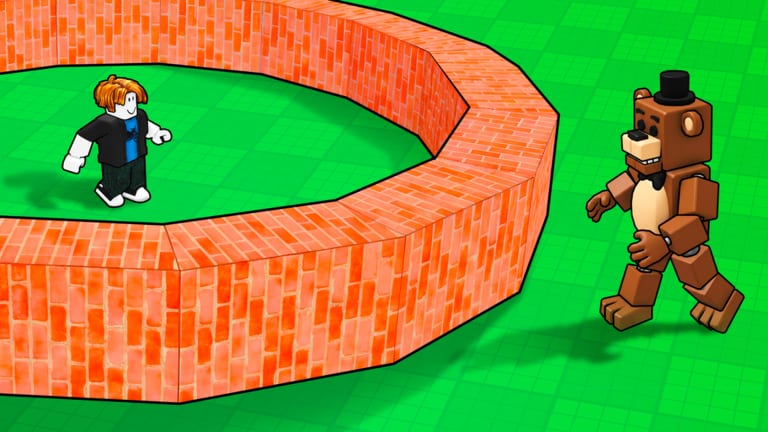
The Players Hub covers the social side of 🛠️Build and Survive by Rainy Creations! on Roblox: how to find the creator group, how to land in the same online co-op server as friends (max six players), how Wins show progress on leaderboards, and the etiquette that keeps autosaved bases safe from grief. Pair this hub with practical tutorials on the Guides Hub—especially Getting Started, Best Base Builds, Survive Monster Waves, and Controls.
Economy and loadout advice lives on the Tier List, Blocks, and Build Kits. Promo status sits on Codes (none working as of November 2026). Patch notes mindset sits on Updates. Third-party tools are discussed cautiously on Scripts.
Rainy Creations group
Rainy Creations! publishes Build and Survive (place 128263975853774, released 25 March 2025). Follow the Roblox group and the official experience page for thumbnails, like-ratio health, and announcement crumbs. Group shout-outs are the cleanest signal when a real code or kit drops—always verify on our Codes page before trusting a random screenshot.
Favorite the experience so it stays on your Roblox home row. Favorites also help friends discover the same title when they browse your profile.
Finding friends and servers
Servers cap at six players, which keeps builds personal and waves readable. To play together:
- One host joins Build and Survive.
- Friends use Roblox’s join / follow flow from the host profile or chat invite.
- Confirm everyone landed on the same server instance before spending Cash on a shared tower.
- If the server is full, the host can hop until a slot opens, then re-invite.
Public servers are fine for learning kiting, but expect strangers to build beside you. Private friend sessions are better for pyramid megaprojects like those in Best Base Builds.
Voice chat is not the backbone of this experience—use Roblox chat or an external call to assign sealer and timer-caller roles during waves.
Wins, Cash, and leaderboard energy
Surviving waves pays Cash for blocks and kits. Wins track longer-term success and feed competitive leaderboard vibes on the server. Chasing Wins without a Spawn platform is backwards—stabilize survival first using Getting Started, then optimize layouts.
Healthy competition:
- Compare tower height and clean seals, not who can Delete a stranger’s wall fastest.
- Share kit screenshots, not account-sharing schemes.
- Celebrate a friend’s Modern House clear instead of crowding their door during the beep.
Unhealthy competition:
- Trapping newcomers in boxes.
- Spam-buying to flex Robux while blocking plot access.
- Bragging about banned scripts from Scripts mirrors.
Community etiquette �?do not grief builds
Autosave makes grief lasting. Follow these norms:
- Ask before editing someone else’s blocks, even if Paint seems allowed.
- Never Delete support pillars, Spawn platforms, or stair segments that a climber is using.
- Keep doorways clear during prep unless you are the assigned sealer on a shared base.
- Leave plot buffers so neighbors can expand without merging accidentally.
- Report harassment through Roblox; do not escalate with your own Ban Hammer fantasies.
If you get walled in, teleport with Base if possible, or switch servers. Rebuilding rage towers wastes the Cash you earned fair and square.
Co-op role templates (architect, sealer, scout) are expanded in Best Base Builds and Survive Monster Waves. Tool permissions mindset ties to Controls.
Helping new players without spoiling the fun
When a beginner joins your six-stack:
- Point them at Spawn placement.
- Offer a guest roof for one wave—then encourage their own pillar.
- Link this wiki’s Guides Hub instead of dumping every meta kit at once.
- Let them fail a kite loop; learning circles matters.
- Share Blocks only after they ask what to buy.
Teaching Delete path denial is more valuable than gifting a Robux kit they do not understand.
Staying aligned after patches
When Rainy Creations ships a change, social meta shifts: new meme enemies, kit prices, or UI buttons. Visit Updates first, then re-check Codes, then adjust etiquette if new tools enable fresh grief vectors. Leaders in your friend group should announce “no Delete on the shared core” after every reset-heavy session.
Quick links for social players
- Guides Hub �?all tutorials.
- Getting Started �?onboard friends fast.
- Controls �?Base teleport and Saves warnings.
- Tier List �?argue loadouts with data.
- Updates �?what changed.
- Codes �?redeem only verified strings.
- Scripts �?why you should usually walk away.
Play tall, play fair, and leave every plot better than you found it. Wins feel better when the whole six-player lobby still has walls at the end of the night.
Frequently Asked Questions
Quick answers for Build Survive players.
Who made Build and Survive on Roblox?
Rainy Creations! publishes the free experience released 25 March 2025. Follow their Roblox group and the official game page for announcements.
How many players can join one server?
Servers support up to six players for online co-op. Invite friends through Roblox join flows so everyone lands in the same instance.
What are Wins?
Wins track successful survival progress alongside Cash rewards. Focus on Spawn, height, and seals before obsessing over leaderboard flexes.
Is griefing allowed?
You should not delete or trap other players' builds. Autosave makes grief permanent—practice consent, leave buffers, and switch servers if someone harasses you.