Getting Started in Build Survive
Your first session—from empty plot to surviving early monster waves with Cash in hand.
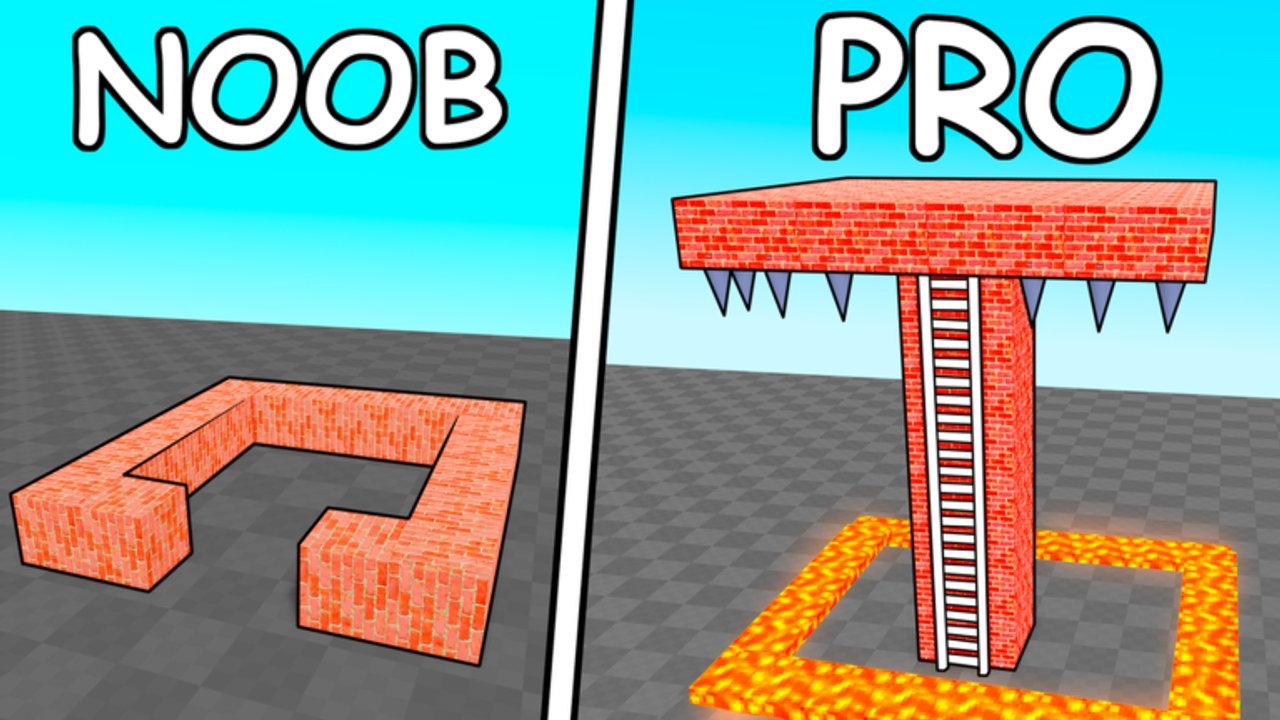
🛠️Build and Survive by Rainy Creations is a free Roblox survival builder released on 25 March 2025. You place blocks, outlast monster waves, earn Cash and Wins, and everything autosaves. Servers hold up to six players, so solo runs and friend bases both work. This getting-started guide covers your first hour: join, claim a plot, drop a Spawn platform, survive early waves, learn the Build menu, decide when walls are worth buying, and invite friends without griefing anyone.
If you only remember three rules: place a Spawn, favor height over pretty floors, and watch the wave timer. For deeper layouts see Best Base Builds. For timers and enemy packs see Survive Monster Waves. For every button see Controls. Rankings live on the Tier List, including Blocks and Build Kits. Promo status sits on Codes (none working as of November 2026). Community tips sit on Players. Patch history sits on Updates. Treat Scripts as optional and risky.
Step 1 — Join and claim your plot
Open the Roblox experience from the official game page, wait for the lobby to load, and pick a server with space. You land on a shared map with individual building plots. Walk to an open plot and start placing—ownership is tied to what you build and the Spawn you set. Do not delete other players’ walls; etiquette matters in a six-person server (see Players).
Glance at the HUD: Cash balance, wave countdown, and the main menu buttons. If the UI feels crowded, open Settings and toggle day/night comfort later—survival first, cosmetics second.
Step 2 — Place a Spawn platform immediately
Before you decorate, open Build and place a Spawn platform on your plot. When monsters tag you, you respawn there instead of across the map. Pair it with the Base teleport button so you can snap home after scavenging or visiting a friend’s tower. Autosave stores the platform; if you ever reset via Saves, rebuild Spawn before the next wave.
A common beginner mistake is stacking fancy floors with no Spawn. One death mid-wave strands you in the open while Cash ticks away. Fix Spawn first, then walls.
Step 3 — Survive early waves for first Cash
Early waves are forgiving if you outrun packs or stand on height. You do not need a fortress yet. Circle the outer edge of your plot, jump onto a two- or three-block pillar, or borrow a friend’s roof if they invite you. When the timer ends and you are still alive, Cash drops—Leah Ashe’s playthrough shows roughly forty Cash for a clean early clear, enough to seed walls or a kit later.
If a pack corners you, do not panic-buy random blocks. Run wide circles, use other players as accidental aggro sponges, and climb anything taller than the monsters’ comfortable jump. Height advantage is the free defense in this game.
Step 4 — Build menu basics (Build, Delete, Paint)
Open Build to browse free and paid blocks. Select a piece, ghost-place it, and confirm. Use Delete to remove mistakes or to erase stair paths after you climb a tower—monsters that need a path suddenly cannot follow. Paint recolors owned blocks; some colors cost Robux, so skip paint until Cash flow feels stable.
Practice a tiny box: four walls, one roof slab, one doorway you can seal. Then delete the doorway blocks when the countdown hits low teens. Re-open after the wave to rebuild access. That open-and-seal habit scales into panic rooms covered in Best Base Builds.
Full button notes, mobile differences, Shop, and Saves live in Controls.
Step 5 — When to buy walls vs save Cash
Spend early Cash on functional pieces: a Spawn, a short stair to height, and a closable doorway. Skip cosmetic kits until you can survive without them. Walls matter when packs start jumping or flooding door gaps; before that, a two-high pillar often outperforms a flat courtyard of thin fences.
Save toward:
- Extra height (pillars, platforms, Modern House kit cheese).
- A sealed panic room for later waves.
- Collaborative expansions with friends who share one footprint.
Avoid:
- Painting every block pink on day one.
- Buying every Shop impulse item.
- Spreading walls across half the map with no roof or Spawn.
Compare value on Blocks and Build Kits before large spends. The Tier List Hub explains ranking criteria.
Step 6 — Invite friends and share a base
Use Roblox invites so friends land in your server (max six). Assign roles: one player builds stairs, one seals doors, one watches the timer aloud. Share a single tall core instead of six weak shacks. You can often help paint or raise height on an ally’s structure when permissions allow—confirm before deleting anything that is not yours.
Griefing destroys trust and wastes autosaved work. If someone walls you in maliciously, leave and join a new server rather than escalating. More etiquette lives on Players.
First-session checklist
- Join → claim open plot.
- Place Spawn platform.
- Learn Build / Delete / Paint on a tiny test box.
- Survive 2–3 early waves via running or height; bank Cash.
- Add a closable doorway and a short tower.
- Teleport with Base if you wander.
- Invite a friend; expand one shared footprint.
- Bookmark Survive Monster Waves and Best Base Builds.
- Skim Codes after patches (currently empty in November 2026).
- Check Updates if something feels patched overnight.
What success looks like after one hour
You have a Spawn, a few walls, a height perch, positive Cash, and at least one Win-worthy survival. You know how to seal a door and delete a stair. You have not spent Robux on panic cosmetics. From here, specialize: tower cheese and kits in Best Base Builds, wave archetypes in Survive Monster Waves, UI mastery in Controls, and spend efficiency via Tier List.
Autosave keeps the base between sessions, so log off when you are tired—your Spawn will still be there. Come back, climb higher, and turn that first Cash into a base monsters cannot casually walk into.
Frequently Asked Questions
Quick answers for Build Survive players.
What should I build first in Build Survive?
Place a Spawn platform first, then a short height perch or closable doorway. Decorate only after you can survive early waves for Cash.
How do I earn Cash as a beginner?
Stay alive until the wave timer ends. Outrun packs or stand on height; successful clears grant Cash you can spend on blocks and kits.
Can I play Build and Survive with friends?
Yes. Servers support up to six players online. Invite friends to your server and collaborate on one strong base instead of six weak ones.
Are there codes for new players?
As of November 2026 there are no working codes. Recheck the Codes page after updates in case Rainy Creations publishes new rewards.
Does progress save if I leave?
Yes. The game autosaves builds so your Spawn and walls persist between sessions unless you reset via Saves.